




A chronometer for Windows 11
WORLDCLOCKBAR
Every timezone, one glance.
A docked clock bar for Windows 11. Live Blue-Marble world map with a real-time day-night terminator. A 24-hour compare grid for any meeting. 167,603 cities, searchable in milliseconds.
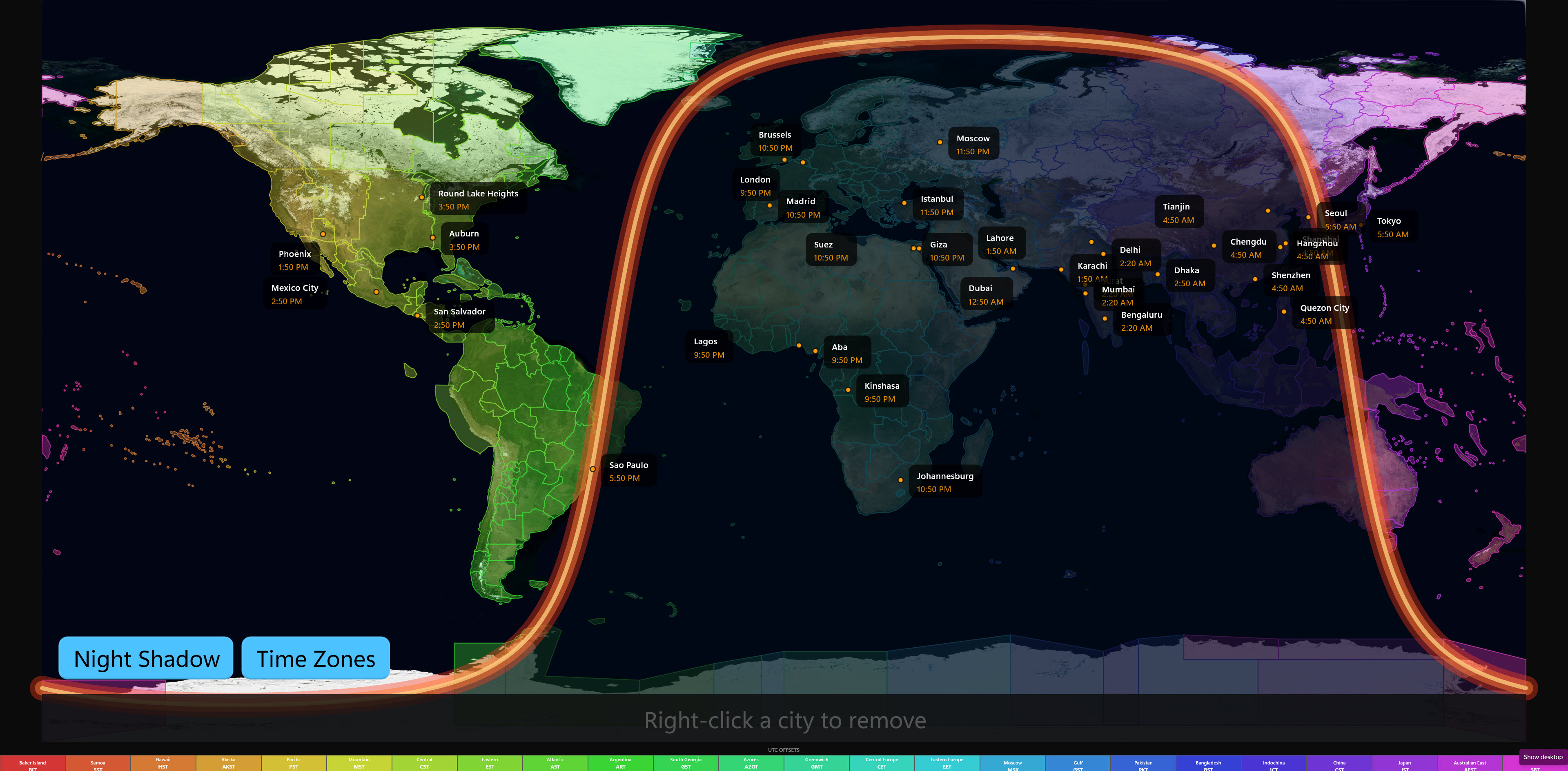
Figure 01 · Blue-Marble composite with real-time day / night terminator
Microsoft Store · Windows 10 / 11 · One-time purchase · No subscription
Docked to the desktop.
Not a window.
Figure 02 · Bar docked top-edge on a 1920 × 1080 display
Windows 11 taskbar intact, workspace reserved1920 × 32 px
reserved
WorldClockBar registers as a native Win32 AppBar — the same API Windows itself uses for the taskbar. Windows reserves screen real estate for it. No overlaps, no covering windows, no "always on top" hack.
Dock it to any edge. Auto-hide it. Run it on every monitor independently. It behaves like first-class Windows chrome, because it is.
4
Dock edges
Top · Bottom · Left · Right — switch with one click.
Auto
Auto-hide
Reveal on hover near the docked edge; collapse on leave.
Stable
Monitor IDs
Win32 device names keep layout across reboots and hot-plugs.
The world
at any angle.
Figure 03 · The globe exactly as the app draws it — stars, night shading, timezone bands, live city cards
What you're dragging isn't a website animation. It's the globe exactly as the app shows it — the same starfield, night shading, and timezone bands, live — here with the default five cities.
In the app it's one click from the bar: your own cities pinned with live local-time cards, day and night painted in real time, and a full offline world atlas — no internet required.
15,458
Catalogued stars
The HYG star catalog, occluded behind the Earth in real time.
425
Timezone bands
Hover the legend — the matching band lights up on the globe.
0 ms
Internet required
The app ships its entire world atlas offline.
See it
in motion.
Trailer 01 · The bar, the satellite globe, timezone bands, and live city cards
Trailer 02 · The 24-hour compare grid — every city, every hour, day boundaries tracked
Ten themes.
One chronometer.
One purchase · No subscription
Your cities.
Every monitor.
The demos on this page are locked to the app's five default cities. The app searches 167,603 — pin yours to the bar, the map, the globe, and the compare grid, on every display you own.
$18.99 one-time · Windows 10 / 11 · x64 · Kept up to date by the Microsoft Store